Skip to content

fix: Search selections of partly loaded groups and Select all exclusions - #103617

Merged
stitesExpensify merged 33 commits into
Expensify:mainfrom
TaduJR:fix/90539-selection-exclusions
Nov 6, 2026
Merged

stitesExpensify merged 33 commits into
Expensify:mainfrom
TaduJR:fix/90539-selection-exclusions

Conversation

@TaduJR

@TaduJR TaduJR commented Oct 9, 2026 •

Copy link
Copy Markdown
Contributor

Explanation of Change

This is part 4 of #90539 (shift+click range selection). While building ranges in Search, I found that when a group hadn't loaded all of its expenses, its checkbox, the selected count and total, and the bulk actions disagreed about what was selected. This PR makes them agree.

In grouped searches (by category, tag and so on), a group loads its expenses a page at a time. With this change:

  • Checking a group's header selects the whole group, including expenses that haven't loaded yet. The selected count and total include them, as an export already did, and expenses that load later come in checked.
  • While a checked group still has expenses to load, the bulk menu only offers actions that cover the whole group, like Export, as it already does for a checked group that hasn't been opened. Actions that work one expense or one report at a time (Hold, Move, Delete, Edit multiple, Merge, Download receipts, Submit, Approve, Reject and Pay) come back once the group has fully loaded. Edit multiple, Merge and Download receipts are now also hidden next to a checked group whose expenses haven't loaded, such as one you haven't opened, where before they acted on the other expenses and left the group out.
  • A group shows as fully checked only when every expense in it is selected, loaded or not. Otherwise it shows as partly checked.
  • A group that has loaded all of its expenses, open or closed, is checked by the expenses it shows, even when its count hasn't caught up with an expense that left it, such as one you just submitted or deleted. If you delete every expense such a group shows, its row stays until the search refreshes, as it does today.
  • A new expense added to a fully checked group stays unchecked, so a bulk action can't include an expense nobody selected.
  • If a group reloads and only its first page comes back, for example when you return from an expense, the expenses you checked on later pages stay checked, as long as they still match the search. Unchecking the group's header clears them too. If one of them was deleted on another device in the meantime, a fully checked group stays fully checked, so new expenses still come in unchecked.
  • An expense that moves to another group, for example after its category changes, no longer counts toward the group it left. Before, unchecking that group could leave its checkbox stuck partly checked, or check its expenses again on the next refresh.
  • Rejecting or moving an expense from its details makes the rest of its group a partial selection, the same as unchecking its row. Deleting one keeps the rest of the group selected.

With Select all on:

  • Unchecking a group's header takes out the whole group. Before, only its loaded expenses were taken out, and the rest stayed in exports and bulk actions.
  • An expense you check again inside a group you took out is counted in the selected count and total.
  • In an expense search, Pay and Mark as exported are hidden once anything is unchecked, since paying or marking a report would also cover the expenses you unchecked. In the Reports view, Mark as exported now leaves out the reports you unchecked.
  • A new expense added to a checked group stays unchecked, so a bulk action can't include an expense nobody selected. If the group was still loading, the expenses that haven't loaded stay unchecked too and the count falls to the ones checked, since nothing tells a new expense from one still loading.

Fixed Issues

$ #90539
PROPOSAL:

Tests

Prerequisites: use a workspace with its default categories and add these expenses:

  • Travel: more than 50 expenses (the steps assume 60, so swap in your own number).
  • Car: exactly 3 expenses, at least one with a receipt.
  • Fees: at least 2 expenses.

Test 1. Checking a group that hasn't fully loaded selects all of it

  1. Go to Spend > Expenses, then Display > Group by > Category, and Apply.
  2. Click the Travel row to open it. Verify it shows 50 expenses and a "Show more" link under them.
  3. Check Travel's checkbox. On a narrow screen, long-press Travel and tap Select instead.
  4. Verify the selection button says "60 selected", not 50.
  5. Verify the footer shows Expenses: 60, and a Total spend that matches Travel's total.
  6. Verify Export is offered, and Hold, Delete, Move to report, Edit multiple and Merge are not.
  7. Open Car and check the expense that has a receipt. Verify the button says "61 selected" and no "Download receipt" action is offered. Then uncheck that Car expense again.

Test 2. A group shows partly checked when only some of it is selected

  1. Continue from test 1. Uncheck one expense in Travel, then check it again.
  2. Verify Travel's checkbox shows a dash (partly checked) and the button says "50 selected".
  3. Click Travel's checkbox. Verify nothing is selected anymore.

Test 3. Expenses that load later come in checked

  1. With Travel open, check Travel's checkbox. Verify "60 selected".
  2. Click "Show more" under Travel. Verify the expenses that just loaded are checked.
  3. Verify actions like Hold or Delete are back (whichever your expenses allow). On a wide screen, some are under More.

Test 4. Expenses checked lower down stay checked after you open an expense

  1. With all 60 of Travel's expenses showing, check the last two expenses in Travel. Verify "2 selected".
  2. Click any expense in Travel to open its details, then close the details.
  3. Verify the button still says "2 selected". If Travel shows "Show more" again, click it and verify the two expenses are still checked.
  4. Click Travel's checkbox. Verify nothing is selected anymore.

Test 5. Checking every expense of a group one by one shows a full check

  1. Open Car and check each of its 3 expenses one by one.
  2. Verify Car's checkbox shows a full check, not a dash, and the button says "3 selected".

Test 6. A new expense added to a fully checked group stays unchecked

  1. Open Car and check Car's checkbox. Verify "3 selected".
  2. Without leaving Spend, create a new expense in the Car category.
  3. Verify the new expense shows under Car unchecked (if it doesn't appear, close and reopen Car), Car's checkbox shows a dash, and the button still says "3 selected".

Test 7. Deleting an expense keeps its group checked

  1. Open Fees and check Fees's checkbox. Note the count on the button.
  2. Open one of Fees's expenses and delete it.
  3. Verify Fees's checkbox still shows a full check and the count went down by 1.

Test 8. Unchecking a group after one of its expenses moves out clears it

  1. Open Car and Fees. Check Car's checkbox.
  2. Open one of Car's expenses, change its category to Fees, and close the details.
  3. Uncheck Car's checkbox. Verify Car's checkbox is empty and none of Car's expenses are checked.
  4. Wait a few seconds. Verify Car's expenses don't become checked again.

Test 9. A fully loaded group selects the expenses it shows after one leaves it, open or collapsed

  1. Make sure you have two draft reports: Report A with 2 expenses and Report B with 1.
  2. Go to Spend > Expenses and search type:expense status:drafts group-by:from. If you have more than 50 draft expenses, add a filter that only these three match, such as a category they share, so your group loads in full.
  3. Open your own group. Verify it shows 3 expenses.
  4. Go offline. Click Report B's expense, click Submit in its header, and close the details. Verify the group now shows 2 expenses.
  5. Check the group's checkbox. Verify the button says "2 selected" and the group's checkbox shows a full check.
  6. Collapse the group. Verify its checkbox still shows a full check and the button still says "2 selected".
  7. Uncheck it, then check it again while it's collapsed. Verify the button says "2 selected".
  8. Expand it, uncheck it, then check both expenses one by one. Verify the group's checkbox shows a full check and the button says "2 selected".
  9. Go back online. Verify the button still says "2 selected".

Test 10. A new expense added to a checked group that's still loading stays unchecked

  1. Go to Spend > Expenses and search type:expense group-by:from. Your own group needs more than 50 expenses.
  2. Open your own group. Verify it shows 50 expenses and a "Show more" link.
  3. Check the group's checkbox. Verify the button shows the group's full count.
  4. Without leaving the search, create an expense on the same workspace.
  5. Verify the group's checkbox shows a dash and the button says "50 selected". If the new expense isn't showing, close and reopen the group, then verify it's unchecked.
  6. Click "Show more" until every expense has loaded. Verify the new expense and the ones that just loaded are unchecked, and the button still says "50 selected".
  • Verify that no errors appear in the JS console

Offline tests

Same as tests, except that a group's "Show more" link is hidden while offline, so test 3 and the "Show more" steps of tests 1 and 4 need a connection.

QA Steps

Same as tests

  • Verify that no errors appear in the JS console

PR Author Checklist

  • I linked the correct issue in the ### Fixed Issues section above
  • I wrote clear testing steps that cover the changes made in this PR
    • I added steps for local testing in the Tests section
    • I added steps for the expected offline behavior in the Offline steps section
    • I added steps for Staging and/or Production testing in the QA steps section
    • I added steps to cover failure scenarios (i.e. verify an input displays the correct error message if the entered data is not correct)
    • I turned off my network connection and tested it while offline to ensure it matches the expected behavior (i.e. verify the default avatar icon is displayed if app is offline)
    • I tested this PR with a High Traffic account against the staging or production API to ensure there are no regressions (e.g. long loading states that impact usability).
  • I included screenshots or videos for tests on all platforms
  • I ran the tests on all platforms & verified they passed on:
    • Android: Native
    • Android: mWeb Chrome
    • iOS: Native
    • iOS: mWeb Safari
    • MacOS: Chrome / Safari
  • I verified there are no console errors (if there's a console error not related to the PR, report it or open an issue for it to be fixed)
  • I followed proper code patterns (see Reviewing the code)
    • I verified that any callback methods that were added or modified are named for what the method does and never what callback they handle (i.e. toggleReport and not onIconClick)
    • I verified that comments were added to code that is not self explanatory
    • I verified that any new or modified comments were clear, correct English, and explained "why" the code was doing something instead of only explaining "what" the code was doing.
    • I verified any copy / text that was added to the app is grammatically correct in English. It adheres to proper capitalization guidelines (note: only the first word of header/labels should be capitalized), and is either coming verbatim from figma or has been approved by marketing (in order to get marketing approval, ask the Bug Zero team member to add the Waiting for copy label to the issue)
  • If a new code pattern is added I verified it was agreed to be used by multiple Expensify engineers
  • I followed the guidelines as stated in the Review Guidelines
  • I tested other components that can be impacted by my changes (i.e. if the PR modifies a shared library or component like Avatar, I verified the components using Avatar are working as expected)
  • If any new file was added I verified that:
    • The file has a description of what it does and/or why is needed at the top of the file if the code is not self explanatory
  • If a new CSS style is added I verified that:
    • A similar style doesn't already exist
    • The style can't be created with an existing StyleUtils function (i.e. StyleUtils.getBackgroundAndBorderStyle(theme.componentBG))
  • If new assets were added or existing ones were modified, I verified that:
    • The assets are optimized and compressed (for SVG files, run npm run compress-svg)
    • The assets load correctly across all supported platforms.
  • If the PR modifies code that runs when editing or sending messages, I tested and verified there is no unexpected behavior for all supported markdown - URLs, single line code, code blocks, quotes, headings, bold, strikethrough, and italic.
  • If the PR modifies a generic component, I tested and verified that those changes do not break usages of that component in the rest of the App (i.e. if a shared library or component like Avatar is modified, I verified that Avatar is working as expected in all cases)
  • If the PR modifies a component related to any of the existing Storybook stories, I tested and verified all stories for that component are still working as expected.
  • If the PR modifies a component or page that can be accessed by a direct deeplink, I verified that the code functions as expected when the deeplink is used - from a logged in and logged out account.
  • If the PR modifies the UI (e.g. new buttons, new UI components, changing the padding/spacing/sizing, moving components, etc) or modifies the form input styles:
    • I verified that all the inputs inside a form are aligned with each other.
    • I added Design label and/or tagged @Expensify/design so the design team can review the changes.
  • I added unit tests for any new feature or bug fix in this PR to help automatically prevent regressions in this user flow.
  • If the main branch was merged into this PR after a review, I tested again and verified the outcome was still expected according to the Test steps.

Screenshots/Videos

Android: Native
Android: mWeb Chrome
iOS: Native
iOS: mWeb Safari
MacOS: Chrome / Safari
1with3.mp4
2.mp4
4.mp4
5.mp4
6.mp4
7.mp4
8.mp4

@TaduJR
TaduJR requested review from a team as code owners October 9, 2026 15:45
@melvin-bot
melvin-bot Bot requested review from situchan and removed request for a team October 9, 2026 15:45
@melvin-bot

melvin-bot Bot commented Oct 9, 2026

Copy link
Copy Markdown

@situchan Please copy/paste the Reviewer Checklist from here into a new comment on this PR and complete it. If you have the K2 extension, you can simply click: [this button]

@melvin-bot
melvin-bot Bot requested review from joekaufmanexpensify and removed request for a team October 9, 2026 15:45
@chatgpt-codex-connector

chatgpt-codex-connector Bot commented Oct 9, 2026 •

Copy link
Copy Markdown

Codex Review Summary

This comment shows the latest Codex review activity on this pull request.

Review Status Commit Review trigger
📝 Code Review ⚠️ Failed 2026-10-29T11:22:55.119602Z
We couldn’t complete this review. Comment @codex review to try again.
2840119 Manual request
ℹ️ About Codex in GitHub

Your team has set up Codex to review pull requests in this repo. Reviews are triggered when you

  • Open a pull request for review
  • Mark a draft as ready
  • Comment "@codex review" or "@codex security review".

Codex reacts with 👀 while any review is running, comments if it has suggestions, and reacts with 👍 once all reviews finish with no findings.

@codecov

codecov Bot commented Oct 9, 2026 •

Copy link
Copy Markdown

Codecov Report

✅ Changes either increased or maintained existing code coverage, great job!

Files with missing lines Coverage Δ
src/components/Search/SearchBulkActionsButton.tsx 95.20% <100.00%> (ø)
...arch/SearchList/ListItem/ExpenseReportListItem.tsx 0.00% <ø> (ø)
...ponents/Search/SearchList/ListItem/GroupHeader.tsx 91.08% <100.00%> (+0.13%) ⬆️
...h/SearchList/ListItem/TransactionGroupListItem.tsx 85.99% <100.00%> (+0.05%) ⬆️
src/components/Search/SearchList/ListItem/types.ts 100.00% <ø> (ø)
...nts/Search/SearchList/ListItem/useGroupChildren.ts 100.00% <100.00%> (ø)
src/components/Search/SearchSelectionProvider.tsx 93.50% <100.00%> (+12.25%) ⬆️
...c/components/Search/SearchWriteActionsProvider.tsx 96.29% <100.00%> (+0.65%) ⬆️
src/components/Search/hooks/useSearchSnapshot.ts 100.00% <100.00%> (+1.74%) ⬆️
src/components/Search/selectionBuilders.ts 99.42% <100.00%> (+0.22%) ⬆️
... and 9 more
... and 18 files with indirect coverage changes

@chatgpt-codex-connector

Copy link
Copy Markdown

Codex Review: Something went wrong. Try again later by commenting “@codex review”.

Failed to sample tokens
ℹ️ About Codex in GitHub

Codex has been enabled to automatically review pull requests in this repo. Reviews are triggered when you

  • Open a pull request for review
  • Mark a draft as ready
  • Comment "@codex review".

If Codex has suggestions, it will comment; otherwise it will react with 👍.

When you sign up for Codex through ChatGPT, Codex can also answer questions or update the PR, like "@codex address that feedback".

1 similar comment
@chatgpt-codex-connector

Copy link
Copy Markdown

Codex Review: Something went wrong. Try again later by commenting “@codex review”.

Failed to sample tokens
ℹ️ About Codex in GitHub

Codex has been enabled to automatically review pull requests in this repo. Reviews are triggered when you

  • Open a pull request for review
  • Mark a draft as ready
  • Comment "@codex review".

If Codex has suggestions, it will comment; otherwise it will react with 👍.

When you sign up for Codex through ChatGPT, Codex can also answer questions or update the PR, like "@codex address that feedback".

@TaduJR

TaduJR commented Oct 9, 2026

Copy link
Copy Markdown
Contributor Author

@MelvinBot review

@MelvinBot

Copy link
Copy Markdown
Contributor

Code review

I found no blocking bugs. The selection, exclusion and checkbox logic holds up. There is one gap to fix and one edge case to check.

1. Fix: "Download receipts" still shows when a partly loaded group is checked. useSearchBulkActions.ts:2984-2991

The merged selection swaps the group's rows for its group_ entry, and this filter drops group_ keys. Say you check Travel's header (60 expenses, 50 loaded) plus one expense in Car. The button says "61 selected", but the menu offers "Download 1 receipt", which leaves out all of Travel. Before this PR, Travel's 50 loaded receipts were included.

To match the "only whole-group actions" rule, gate this option on !hasGroupEntrySelected the way Edit multiple is gated at line 2668.

2. Check: deleting an expense from a header-checked, partly loaded group. selectionBuilders.ts:331

removeTransaction(id, {isDeleted: true}) keeps the other rows' group claim, so the group is still merged from the snapshot's count and total. Your own comment at line 39 says that count isn't decremented while a row is pending delete. So the footer may keep counting the deleted expense until the search refreshes, or until you reconnect if you're offline. Test 7 covers only a fully loaded group. Please try it with Travel too.

What I checked and found correct
  • applySelection: deselectedWithoutEntry can't be dropped by the early return. It's only set when the updater returns a new object.
  • removeTransaction: all 7 callers pass the right isDeleted flag. Deletes pass true, and reject and move pass false.
  • The merged group entry has every action flag off and no transaction. Hold, Move, Delete, Pay, Approve, Submit, Split and Reject stay hidden. No group_ key reaches an API as a transaction ID.
  • Export drops group_ keys from transactionIDList and turns them into a group filter.
  • The footer doesn't count rows twice. Merging drops every row of a partly loaded group, and re-checked rows in excluded groups are only added back under Select all.
  • Pay under Select all still shows when nothing is excluded. Mark as exported leaves out unchecked reports correctly.
  • Minor: the new useMemo at useSearchBulkActions.ts:625 goes against the repo rule if this hook compiles with React Compiler. npm run react-compiler-compliance-check check-changed will confirm.

This review is from reading the code at 22f0cde. I didn't run the tests or test it in the app.


view run

@joekaufmanexpensify joekaufmanexpensify left a comment

Copy link
Copy Markdown
Contributor

Choose a reason for hiding this comment

The reason will be displayed to describe this comment to others. Learn more.

Good for product

@chatgpt-codex-connector

Copy link
Copy Markdown

Codex Review: Something went wrong. Try again later by commenting “@codex review”.

Failed to sample tokens
ℹ️ About Codex in GitHub

Codex has been enabled to automatically review pull requests in this repo. Reviews are triggered when you

  • Open a pull request for review
  • Mark a draft as ready
  • Comment "@codex review".

If Codex has suggestions, it will comment; otherwise it will react with 👍.

When you sign up for Codex through ChatGPT, Codex can also answer questions or update the PR, like "@codex address that feedback".

@MelvinBot

Copy link
Copy Markdown
Contributor

⏱️ Ran out of time before I could finish. This usually means the task was too complex or I got stuck exploring. Please try again with a more specific request or post in #melvinbot-ai.

Run details

@TaduJR

TaduJR commented Oct 10, 2026

Copy link
Copy Markdown
Contributor Author

All yours @situchan

…election-exclusions

# Conflicts:
#	src/components/Search/SearchList/ListItem/ExpenseReportListItem.tsx
#	src/components/Search/SearchWriteActionsProvider.tsx
#	src/components/Search/selectionBuilders.ts
@TaduJR

TaduJR commented Nov 3, 2026

Copy link
Copy Markdown
Contributor Author

Bug?: A new expense in a header-checked group that is still loading comes in checked

@situchan

Great Job. Addressed.

As well as Melvin comments

@situchan

situchan commented Nov 4, 2026

Copy link
Copy Markdown
Contributor

@MelvinBot review

@melvin-bot
melvin-bot Bot requested a review from stitesExpensify November 4, 2026 15:06
@situchan

situchan commented Nov 4, 2026

Copy link
Copy Markdown
Contributor

Conflicts!

@MelvinBot

MelvinBot commented Nov 4, 2026 •

Copy link
Copy Markdown
Contributor

🤖 Web test steps verification results: ⚠️ partial

Code tracing still shows the previously reported indeterminate-header edge case. Browser verification stopped during grouped-view setup; none of the ten scenarios ran.

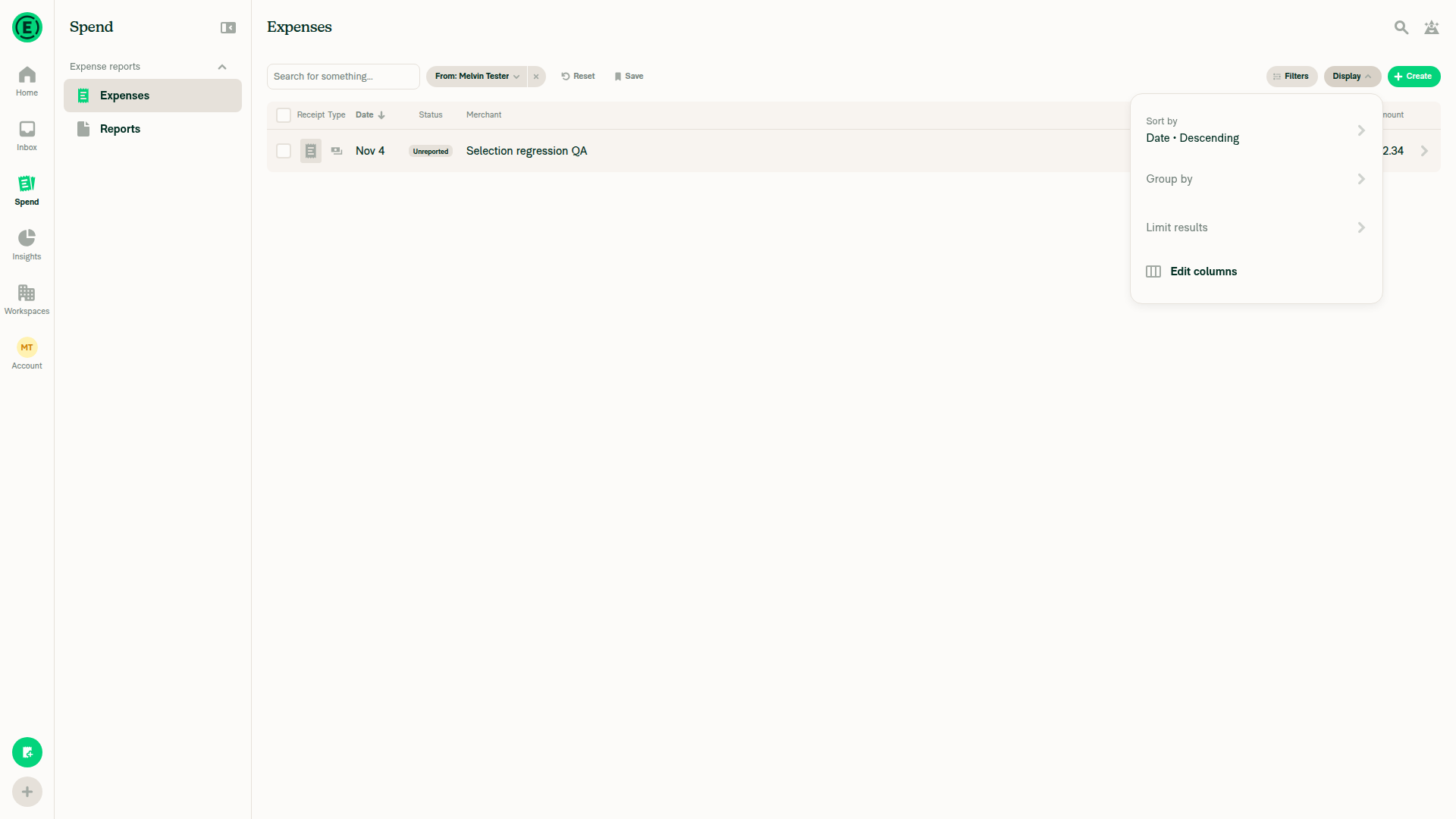
Display menu where Group by interaction was blocked

Step Status
Test 1: Select a partly loaded groupBlocked during setup; not executed.
❌
Test 2: Partial group selectionBlocked during setup; not executed.
❌
Test 3: Select later-loaded expensesBlocked during setup; not executed.
❌
Test 4: Preserve off-page selectionsBlocked during setup; not executed.
❌
Test 5: Select every expense individuallyBlocked during setup; not executed.
❌
Test 6: Add to a fully checked groupBlocked during setup; not executed.
❌
Test 7: Delete a selected expenseBlocked during setup; not executed.
❌
Test 8: Clear selection after an expense movesBlocked during setup; not executed.
❌
Test 9: Offline submit, open/collapsed countsRequired reports were not established; offline behavior remains unverified.
❌
Test 10: Add to a partly loaded checked groupNo partly loaded group was established. An overlay blocked the Group by interaction.
Display menu where Group by interaction was blocked
❌
Remaining header-state edge case — static reviewSelect every expense, refresh to the first page, then uncheck/recheck a loaded expense. All expenses remain selected, but the header shows a dash.
The row toggle clears coverage; the coverage calculation cannot restore it from retained off-page selections.
Add this exact regression test and clarify the intended header behavior. Do not blindly count retained rows: the stale-row safeguard is intentional. Not reproduced in the browser.
⚠️
Targeted automated testsFour Jest suites passed: 230 tests covering lazy group selection, selection builders, shift-range batches, and bulk export.
✅
Merge readinessGitHub reports merge conflicts. Resolve them and repeat verification.
❌

view run · no recording available

@MelvinBot

MelvinBot commented Nov 4, 2026 •

Copy link
Copy Markdown
Contributor

🤖 Web test steps verification results: ⚠️ partial

No new regression confirmed at 20c1f714. All 367 targeted tests passed, but grouped-expense browser checks remain blocked because the account has no expenses.

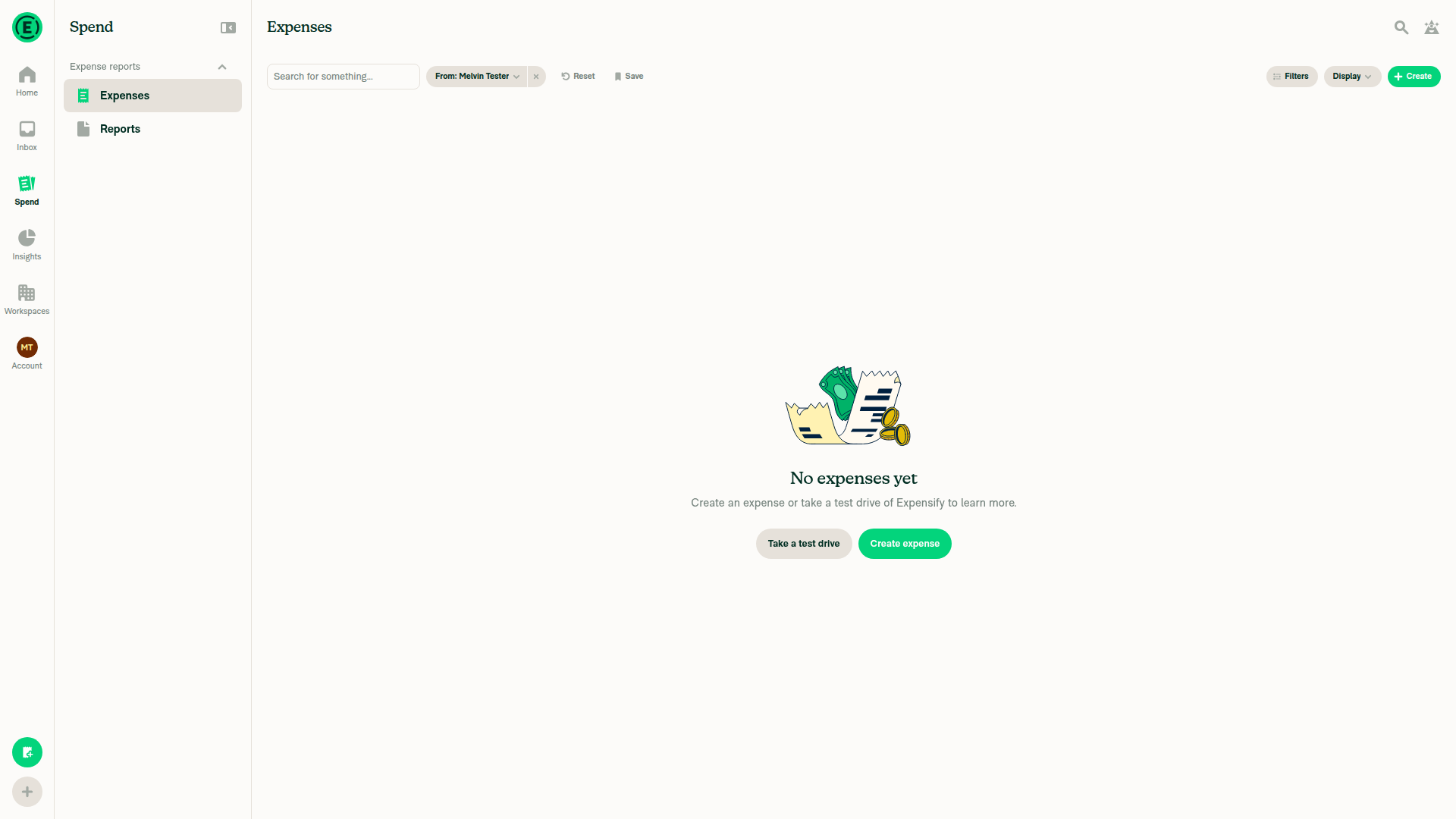
Expense search showing no expenses

Step Status
Grouped-expense browser verificationSearch showed “No expenses yet”; selection and export scenarios could not run. This is a test-fixture blocker, not a demonstrated regression.
Expense search showing no expenses
⚠️
Shift-range regression candidate — source reviewRuled out: ranges exclude intermediate group headers. Header shift-clicks use the ordinary toggle, which records the group count.
✅
Targeted automated regression tests9 suites passed, 367 tests: lazy group selection, selection builders/provider, shift ranges, whole-group delete eligibility, export, Pay, and receipt downloads.
✅

view run · no recording available

…election-exclusions

# Conflicts:
#	src/components/Search/SearchSelectionFooter.tsx
#	tests/unit/Search/useSearchSnapshotTest.ts
#	tests/unit/hooks/useSearchBulkActionsTest.ts
@TaduJR

TaduJR commented Nov 4, 2026

Copy link
Copy Markdown
Contributor Author

All yours @stitesExpensify

@TaduJR

TaduJR commented Nov 5, 2026

Copy link
Copy Markdown
Contributor Author

Friendly Bump @stitesExpensify

Thanks

@stitesExpensify stitesExpensify left a comment

Copy link
Copy Markdown
Contributor

Choose a reason for hiding this comment

The reason will be displayed to describe this comment to others. Learn more.

Pretty complex change, but it looks good AFAICT (and the bots). I think we're good to go

@stitesExpensify
stitesExpensify merged commit 3188aad into Expensify:main Nov 6, 2026
36 of 37 checks passed
@github-actions

github-actions Bot commented Nov 6, 2026

Copy link
Copy Markdown
Contributor

🚧 stitesExpensify has triggered a test Expensify/App build. You can view the workflow run here.

@OSBotify

OSBotify commented Nov 6, 2026

Copy link
Copy Markdown
Contributor

✋ This PR was not deployed to staging yet because QA is ongoing. It will be automatically deployed to staging after the next production release.

@github-actions

github-actions Bot commented Nov 6, 2026

Copy link
Copy Markdown
Contributor

@OSBotify OSBotify mentioned this pull request Nov 7, 2026
85 tasks done
@OSBotify

OSBotify commented Nov 7, 2026

Copy link
Copy Markdown
Contributor

🚀 Deployed to staging by https://github.com/stitesExpensify in version: 9.5.34-0 🚀

platform result
🕸 web 🕸 success ✅
🤖 android 🤖 success ✅
🍎 iOS 🍎 success ✅

@MelvinBot

Copy link
Copy Markdown
Contributor

No FullStory changes needed — this PR fixes existing Search selection, counts, totals, and bulk-action behavior without adding new controls, screens, or sensitive-content surfaces.


view run

@MelvinBot

Copy link
Copy Markdown
Contributor

No help site update needed — this PR fixes existing selection and bulk-action behavior without adding a new workflow or making any existing article sentence incorrect.


view run

@unzig21

unzig21 commented Nov 9, 2026

Copy link
Copy Markdown

Deploy Blocker #106334 was identified to be related to this PR.

@jponikarchuk

Copy link
Copy Markdown

Deploy Blocker #106377 was identified to be related to this PR.

@OSBotify

OSBotify commented Nov 9, 2026

Copy link
Copy Markdown
Contributor

🚀 Deployed to production by https://github.com/yuwenmemon in version: 9.5.34-1 🚀

platform result
🕸 web 🕸 success ✅
🤖 android 🤖 success ✅
🍎 iOS 🍎 success ✅

Bundle Size Analysis (Sentry):

Sign up for free to join this conversation on GitHub. Already have an account? Sign in to comment

Labels

None yet

Projects

None yet

Development

Successfully merging this pull request may close these issues.

8 participants